Clipped
Your clipboard, with a memory. Search your history, pin favourites, paste with a keystroke.
Five minutes or five hours ago — still one keystroke away.
Clipped sits in your menu bar and remembers everything you copy — text, rich text, links, images, and code. Hit your shortcut, type a few characters, and paste. Nothing ever leaves your Mac.
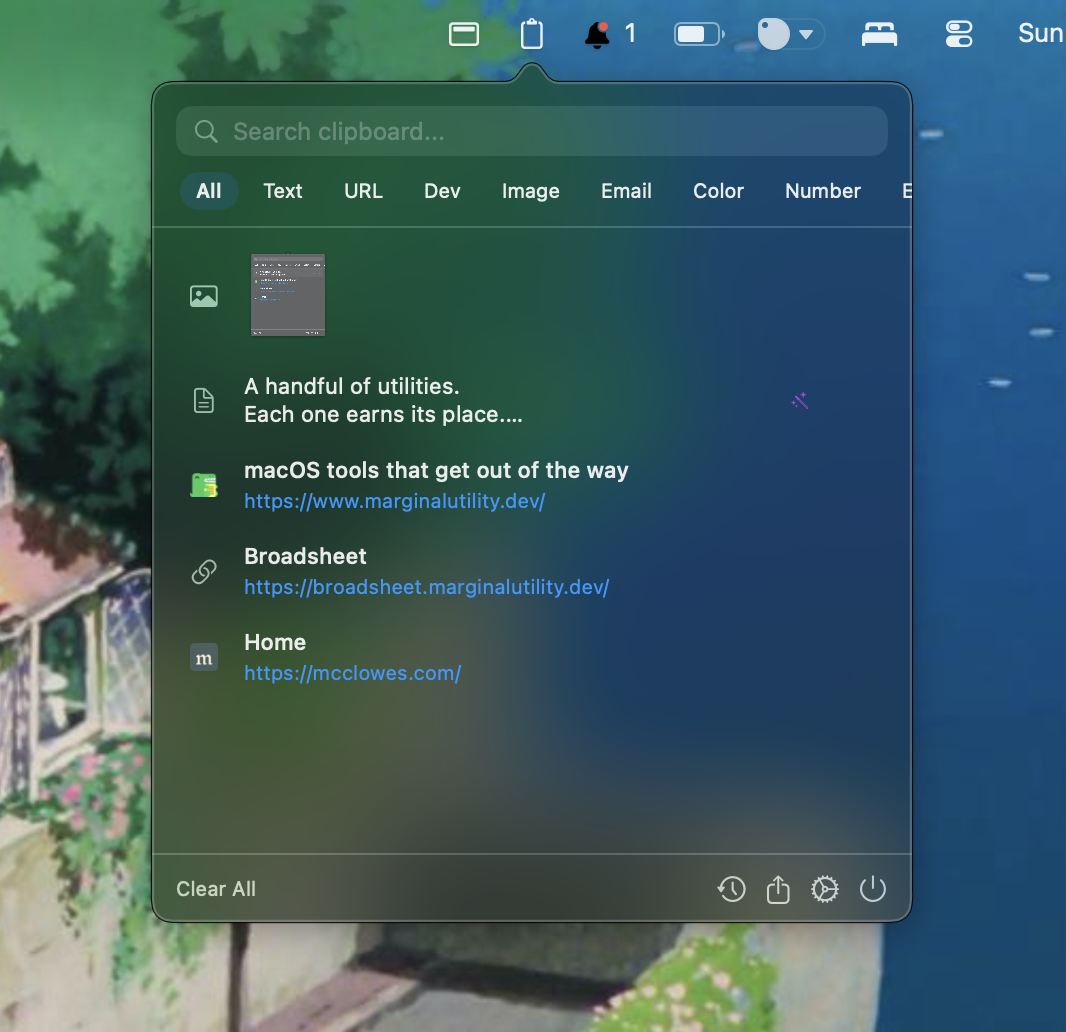
Everything it does.
Instant access
Summon your clipboard history with ⌥C, or pop the full history browser with ⌥⇧C. Search, select, paste — all without leaving the keyboard.
Pin favourites
Keep frequently used snippets pinned at the top. Email signatures, code fragments, addresses — always one keystroke away.
Smart filters
Pivot your history by text, URL, image, or dev content (UUIDs, JSON, JWTs). Opt in to extra tabs for emails, phone numbers, hex colours, or by source app.
Clipboard transformations
Strip tracking params from URLs, trim whitespace, flatten smart quotes, convert rich text to Markdown, and more — applied automatically as you copy. Per-app overrides included.
Privacy first
Everything stays on your Mac. No cloud sync, no telemetry, no account. Password-manager entries are skipped, and API keys and secrets are masked in previews.
Rich previews
Images and screenshots show as thumbnails, copied SVG markup renders live, and URLs fetch page titles and favicons (toggle off any time).
Sticky notes
Pop any clipboard item out as a floating sticky note. Keep it on top of your workspace for as long as you need.
Lightweight & native
Swift 6, menu-bar only, no Dock icon. Launches at login, uses virtually no CPU or memory. You’ll forget it’s running — until you need it.
Free. Small. Native.
- platform
- macOS 15+ (Sequoia)
- architecture
- Apple Silicon & Intel
- price
- Free
- latest
- v1.3.1
Get Clipped.
Install with Homebrew or grab the latest release from GitHub.